
Units and tenants
Record units, leases and IDs, and follow each tenant in one card.
Every planUnits, tenants, payments, instalments, expenses, maintenance and warranties — in Arabic and English, on your phone and on the web, with backups that never lose your data.
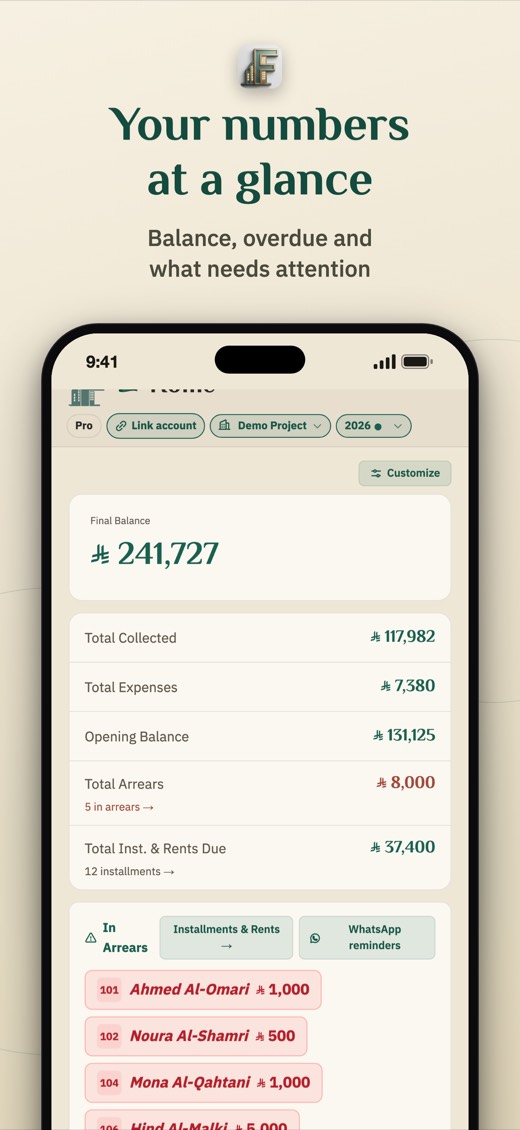
Built for daily use: fast, clear, and accurate with your currency and both calendars.
Record units, leases and IDs, and follow each tenant in one card.
Every planFast monthly entry, instalment schedules, receipts and a ready WhatsApp reminder in the tenant's language.
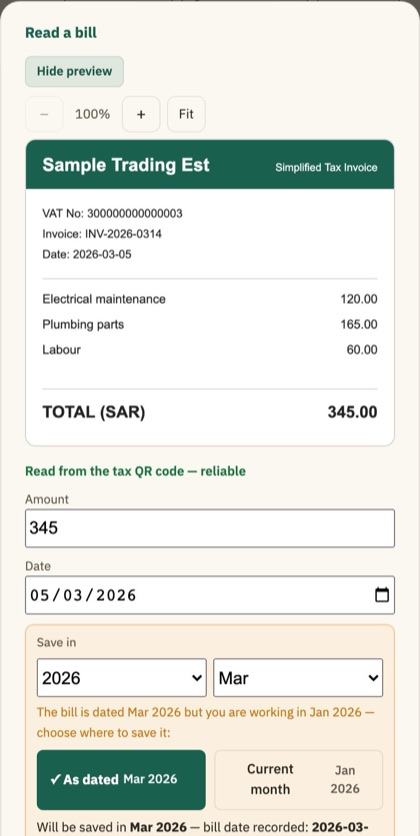
Every planPhotograph or upload an invoice and the app reads the amount, date and seller and records it as an expense after you confirm.
Every planDetails →Your balance and arrears at a glance, Excel and PDF reports, and an accountant export with optional VAT.
Pro and MaxMaintenance requests and a visit and cost log, and record the warranty of each part or job (such as “a 2-year warranty”) so the app warns you before it ends.
Pro and MaxExpiring IDs, residency permits, leases and warranties reach you before it is too late.
Every planAdd your tasks with a date (a lease renewal, an inspection round, periodic maintenance) and they show on the home screen with the days left, and you tick them off in one tap.
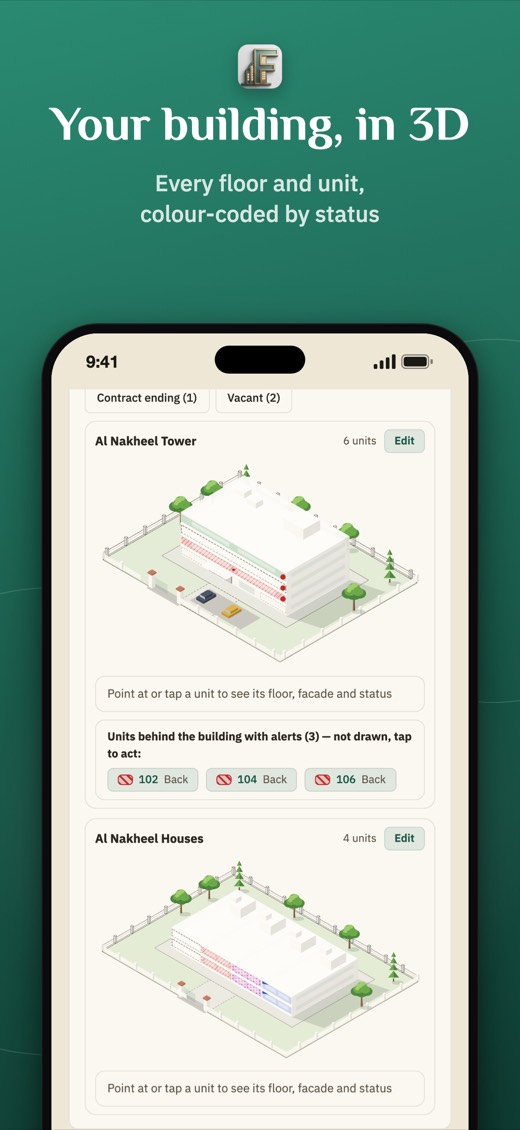
Pro and MaxDraw the floors and units and see the building from outside with each unit's status in colour.
Every planThere is no integration with the platform: the app is an administrative record only. You record the Ejar contract number with each lease, and the “Open Ejar” button takes you to its website quickly without sending it any data.
Saudi marketNo more typing the amount, date and seller by hand. Upload or photograph the invoice and the app reads it, fills in the fields and picks the month it is saved to; you only review and confirm.
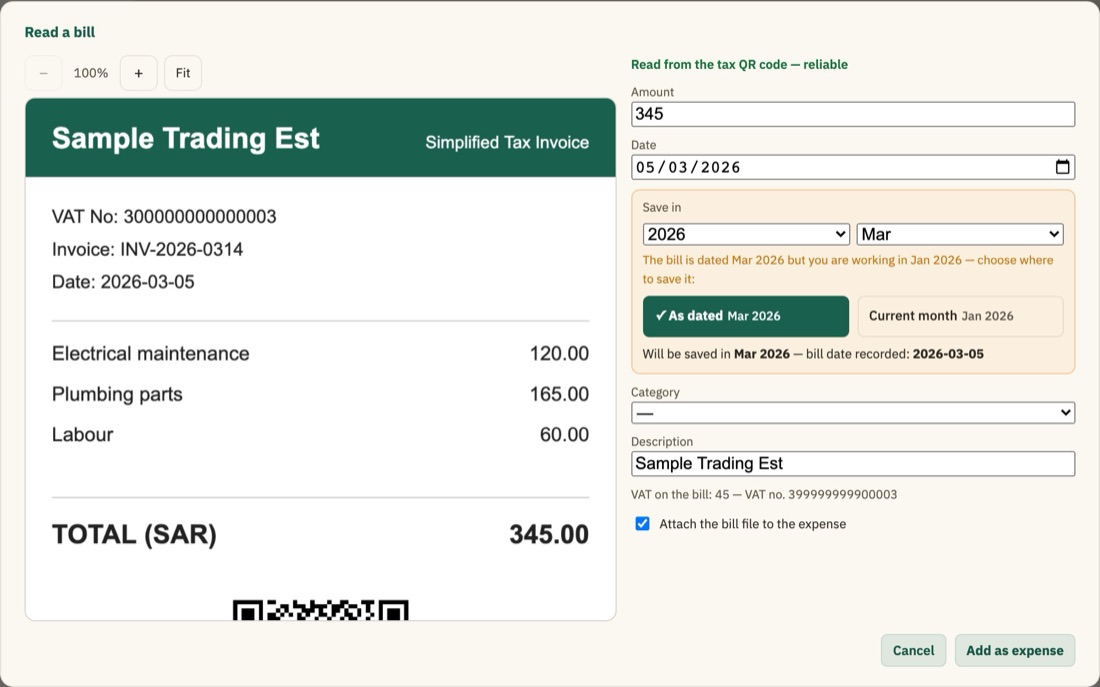
The invoice in the screenshot is a demo with fictitious data.
Just type its name, then add your units in one go (like 101–120).
Enter manually or import from Excel, and the app works out what's due and late.
On your phone or the web, with reports and alerts that reach you on time.
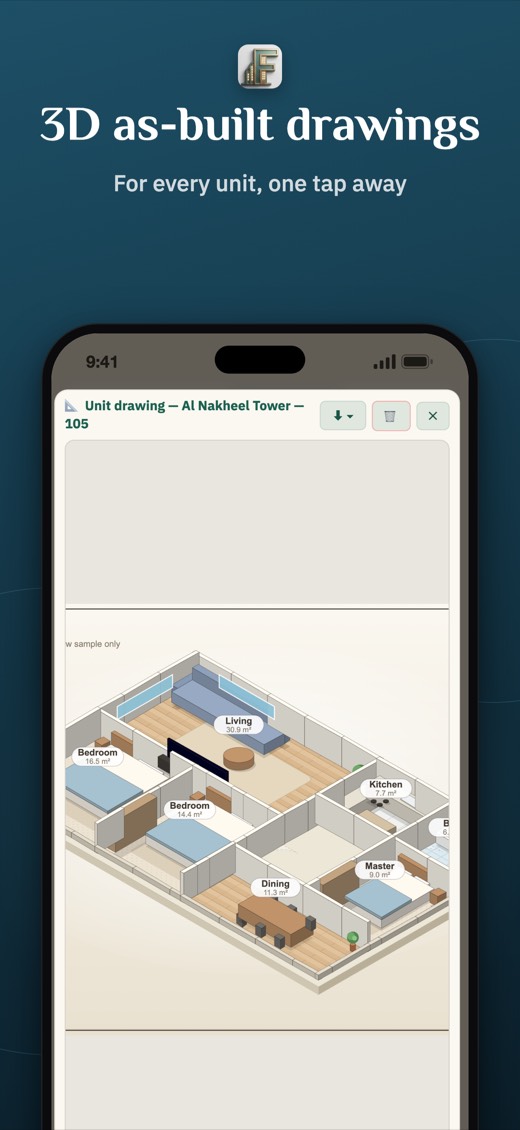
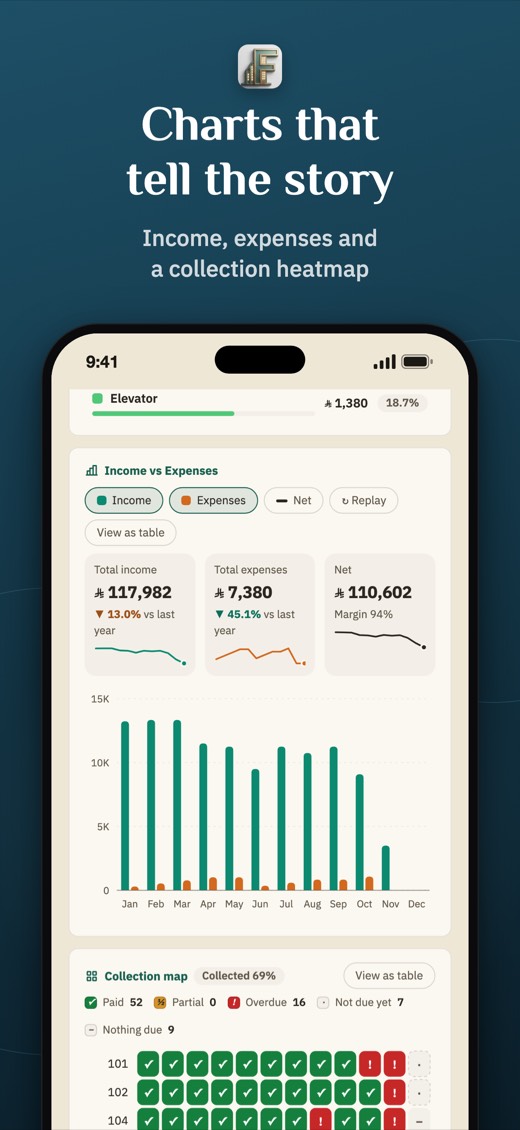
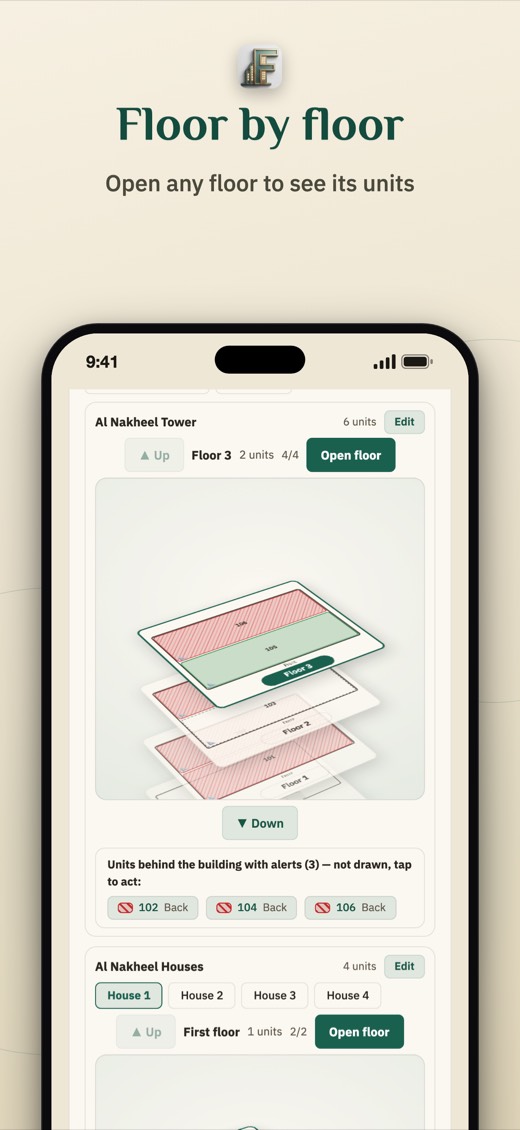
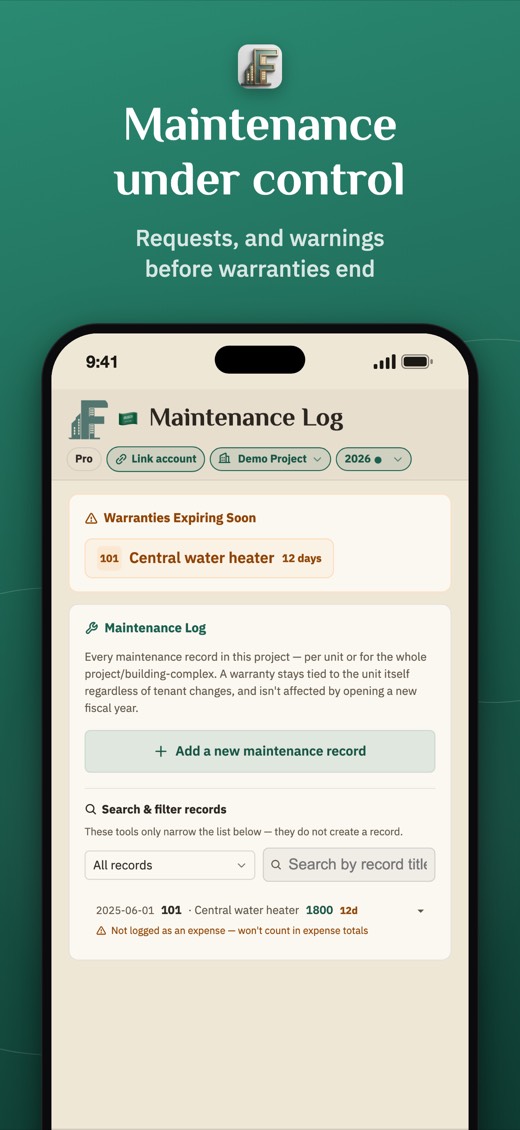
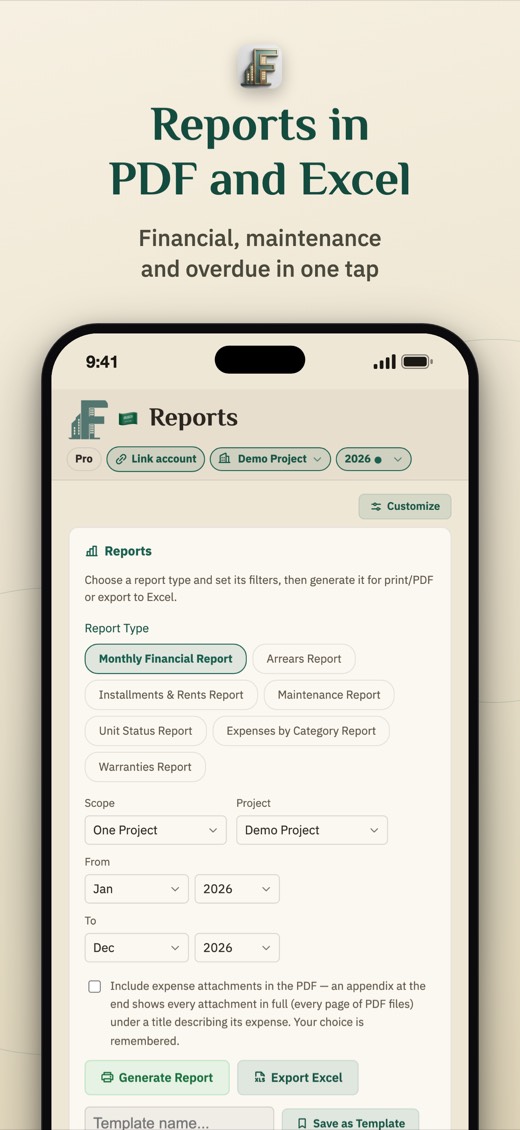
The screens of an ordinary day: enter data fast, read the numbers clearly and finish with a ready report.
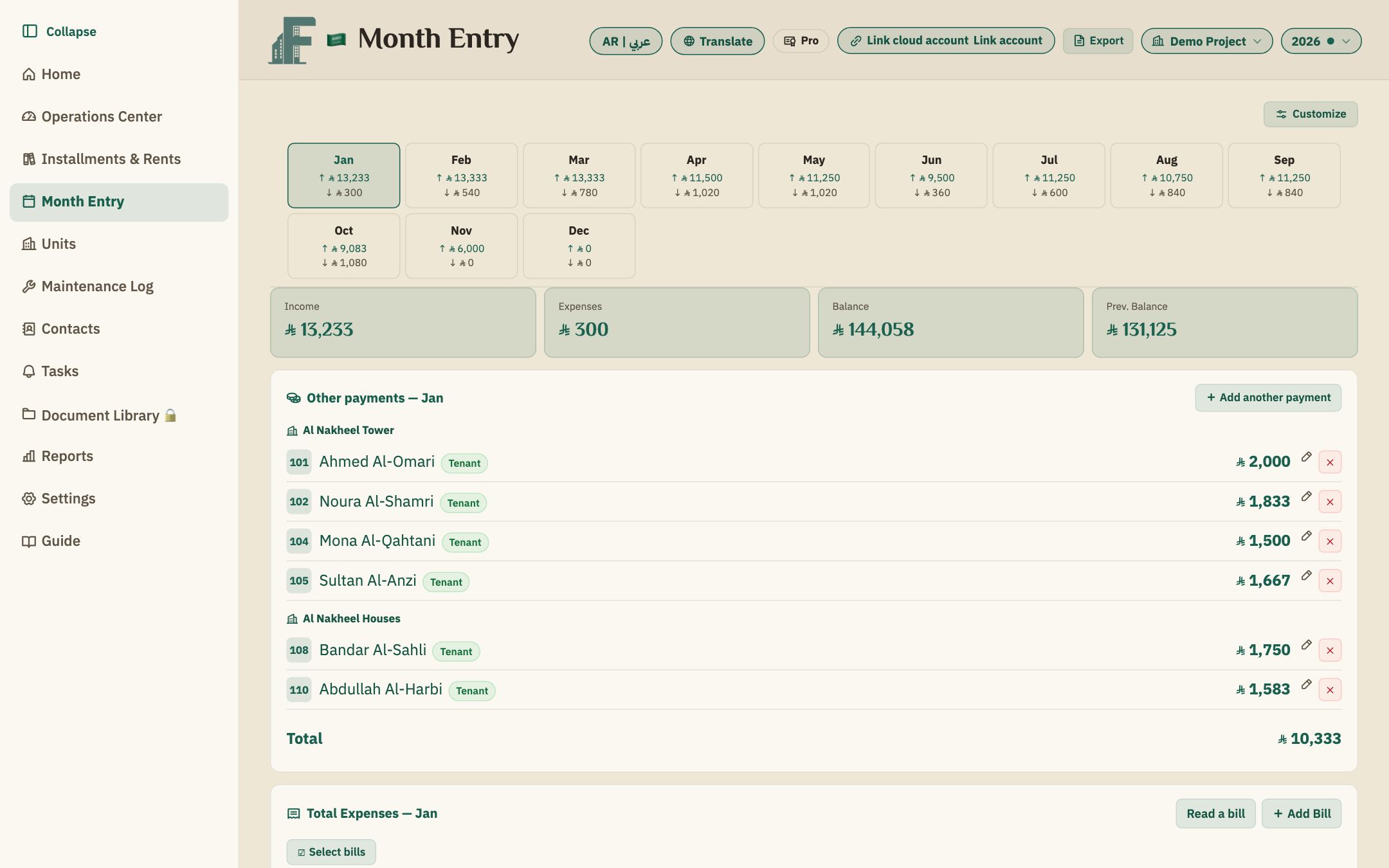
Type the amount in the tenant's row and it saves as you type. Deposits and one-off payments get their own card, and you can move several expenses between months in one go.
Every plan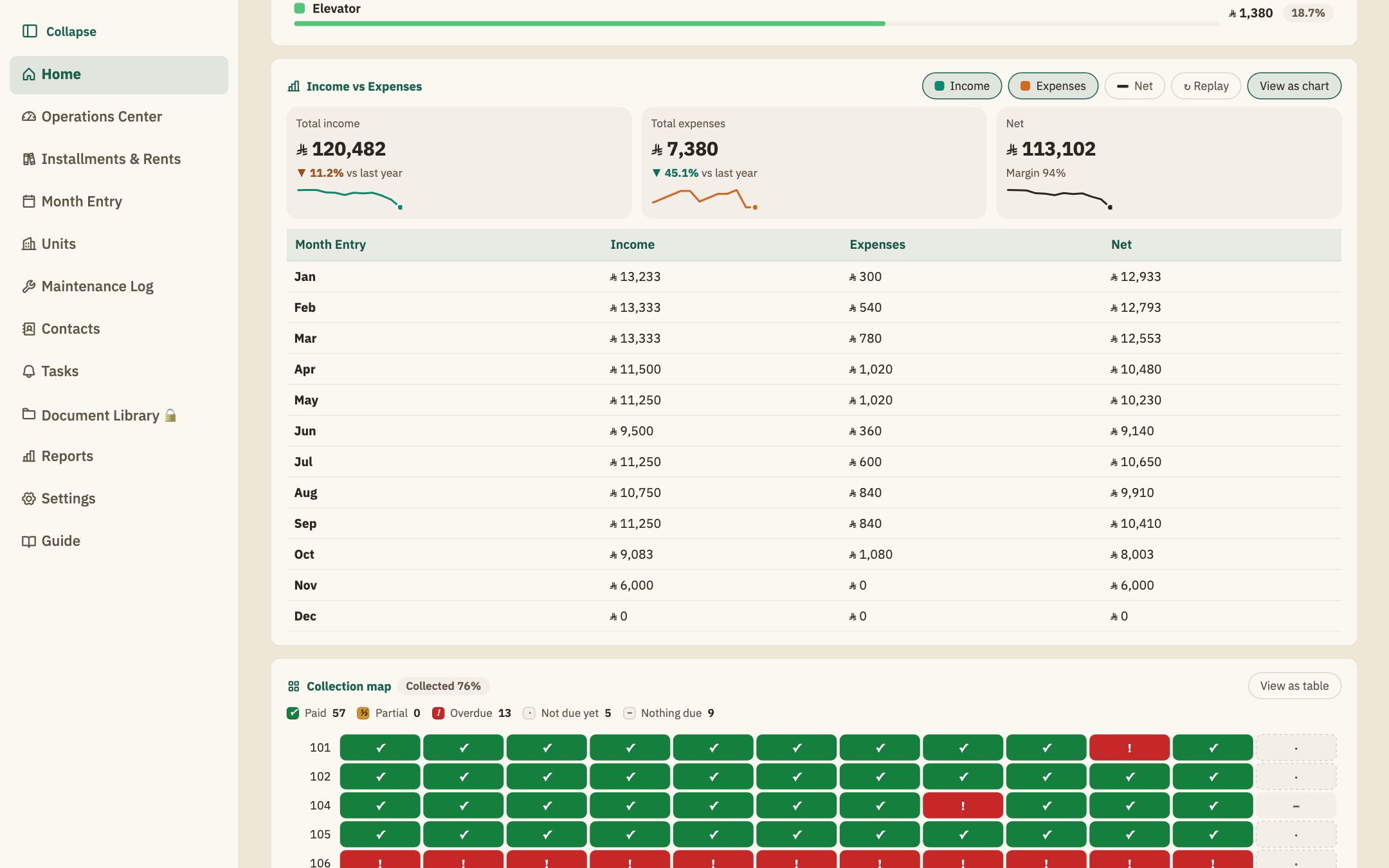
Charts that follow your look, each with a “Show as table” button for the same numbers. Nothing relies on colour alone: every cell in the collection map carries a symbol.
Every plan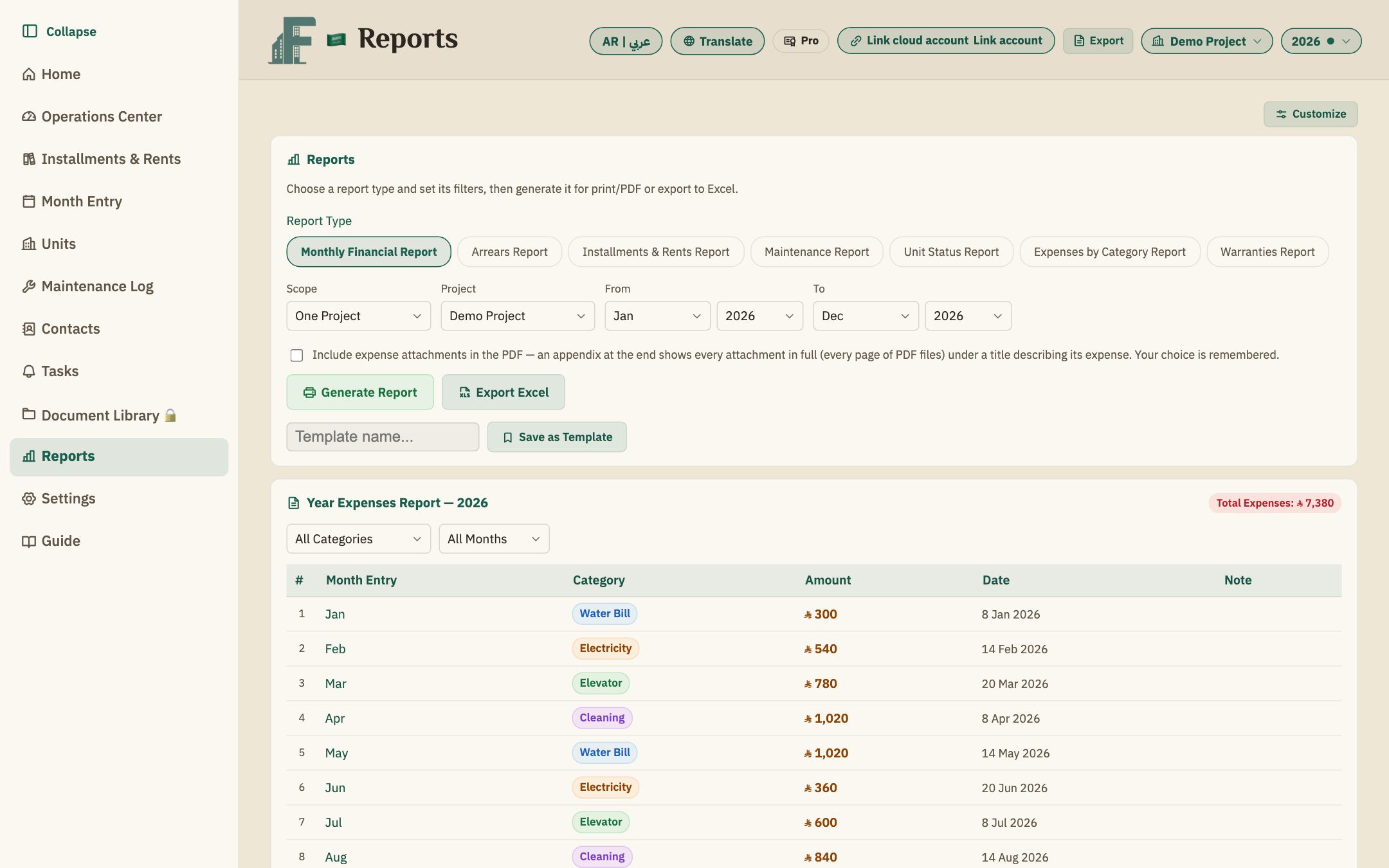
Seven ready-made types in PDF and Excel. Pick a unit, a building, a project or all projects, and save your settings as a template to run again in one click.
Every planOn the wide inner screen the side menu stays in front of you with the data beside it, and one tap folds it away to make room. These are real captures of the app on the Duo screen.
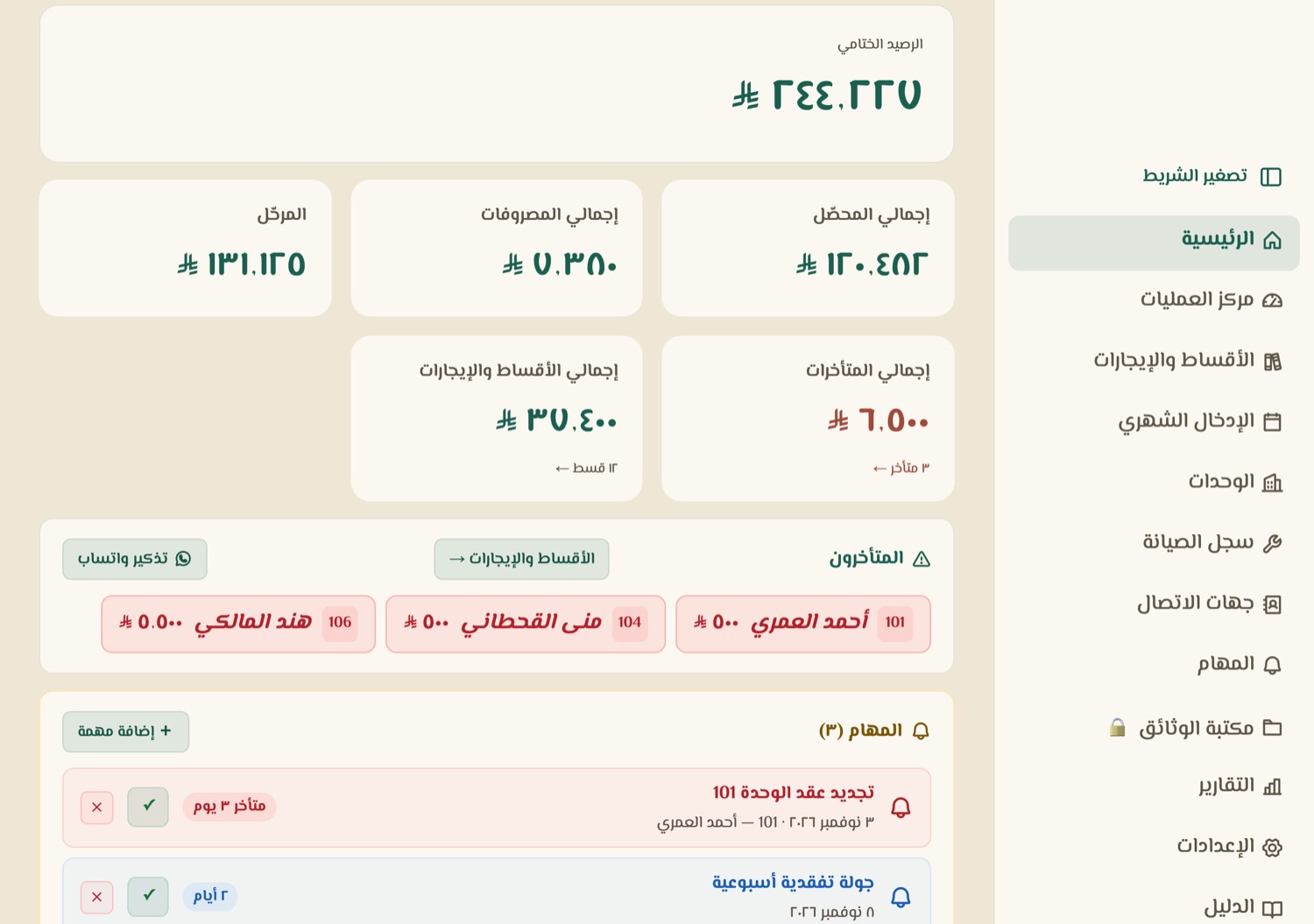
Captures with demo data. The frame is illustrative.
Max is cloud-based and several users work on it at the same time, each with their own door and permissions.
A staff member with edit access or a viewer with read-only access, for one project or more. You invite them by email.
Details →Tenants or unit owners sign in and see only their unit: arrears and instalments, and can file a maintenance request.
Details →The technician sees only assigned requests, updates the status and records notes and cost.
Details →A project, with buildings or compounds under it and units under those: apartments, villas, shops and offices. You give every user exactly their scope, at the level of a project, a building or a single unit.
Plan: Max. Multiple projects are also available in Pro. The example above is an illustration with made-up data.
13 looks in different colours to suit different tastes, and you can switch from Settings at any time. “Trust” and the elegant dark mode come with every plan; the other looks come with Pro and Max.
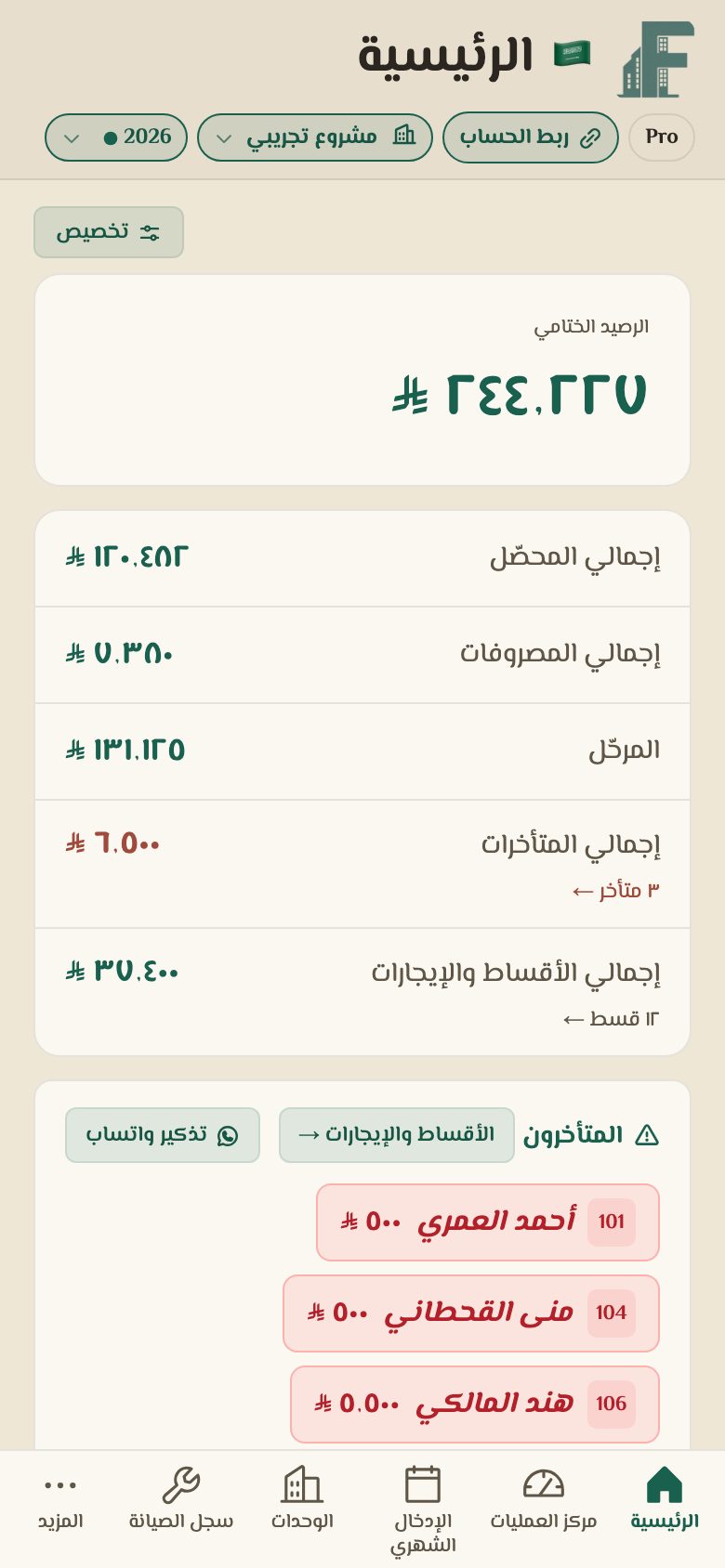
Website customers subscribe to Max only. Apple customers pick from the three plans inside the app.
A cloud database for a whole team: several users with permissions, a portal for units and tenants, a maintenance portal and the 3D plan. Pay by card (Stripe).
Every plan covers up to 200 units with 3 users included, and you can go up to 250 users. Prices are in US dollars; the final price is shown before you pay.
Download the app and start free; upgrade whenever you like with in-app purchase.
An Apple subscription is paid from your Apple account and belongs to your app account only; it is separate from a website subscription.
The Basic and Pro plans are currently available through the App Store only; we will update this once the Android app is released.
Download on the App StoreTell us about your properties and we'll activate a trial account after a short review. The trial includes up to 30 units, 3 users and 2 GB.
Website customers subscribe to Max (cloud). The Apple app starts free (Basic) and upgrades to Pro or Max by in-app purchase. Each route has its own billing and subscription. Basic and Pro are currently App Store only; we will update this after the Android app is released.
No, they are two separate subscriptions: the website by card through Stripe, Apple from your Apple account inside the app, and neither moves to the other. Tenants (unit portal) and technicians (maintenance portal) need no subscription and no Apple licence: you invite them by email and they reach the same platform from the web or from the Fahres app on iPhone and iPad, and they count toward the number of users in your plan.
If you don't subscribe the account locks and you have 7 days to read and export your data, then it's deleted automatically. If you subscribe during that time your account works immediately with your data.
Basic and Pro keep your data on your phone and work offline for a single user. Max is cloud-based and needs a connection; in return several users work on it together, and it includes a unit portal and a maintenance portal.
Every Max plan includes 3 users (you + 2) and the limit can be raised up to 250. Staff edit within their scope (one or more projects), viewers are read-only, technicians see only the requests assigned to them, and tenants see only their own unit.
Yes. Enter dates in Hijri or Gregorian. You can work in the Saudi riyal (with the new symbol) or in one of many Arab and international currencies, set a currency per project (for example one project in riyals and another in dirhams), or type a currency yourself.
Settings → License → Permanently delete account, with a code sent to your email. The account is deleted immediately and an encrypted copy is kept for 30 days, then erased.